
How to Use JovialSight Situational Speaking: Understand the Situation, Plan and Respond
Choose everyday or textbook tasks, plan a response, speak with optional recording, then use self-checks to improve. Understand local records, temporary audio and manual email submission.

On this page · 本文目录
Who is this tool for?
You may know the words you want to use and still find it difficult to respond when someone raises a concern. JovialSight Situational Speaking / 精思情境口语 helps Secondary 1–4 G1–G3 learners practise that next step: understand who you are speaking to, explain your idea and respond to what the other person says.
The aim is communication. Unlike a reading-aloud tool, you are planning your own response rather than following a passage. The tool gives situations, language support and self-check prompts. It does not judge whether your speech or writing is correct, transcribe recordings automatically or provide AI conversation scores.
For example, a task may ask you to arrange a family meal when a parent has to work. Naming a time is only the beginning: you also need to explain why the meal matters and suggest an adjustment when the parent is unavailable.
Choose a task
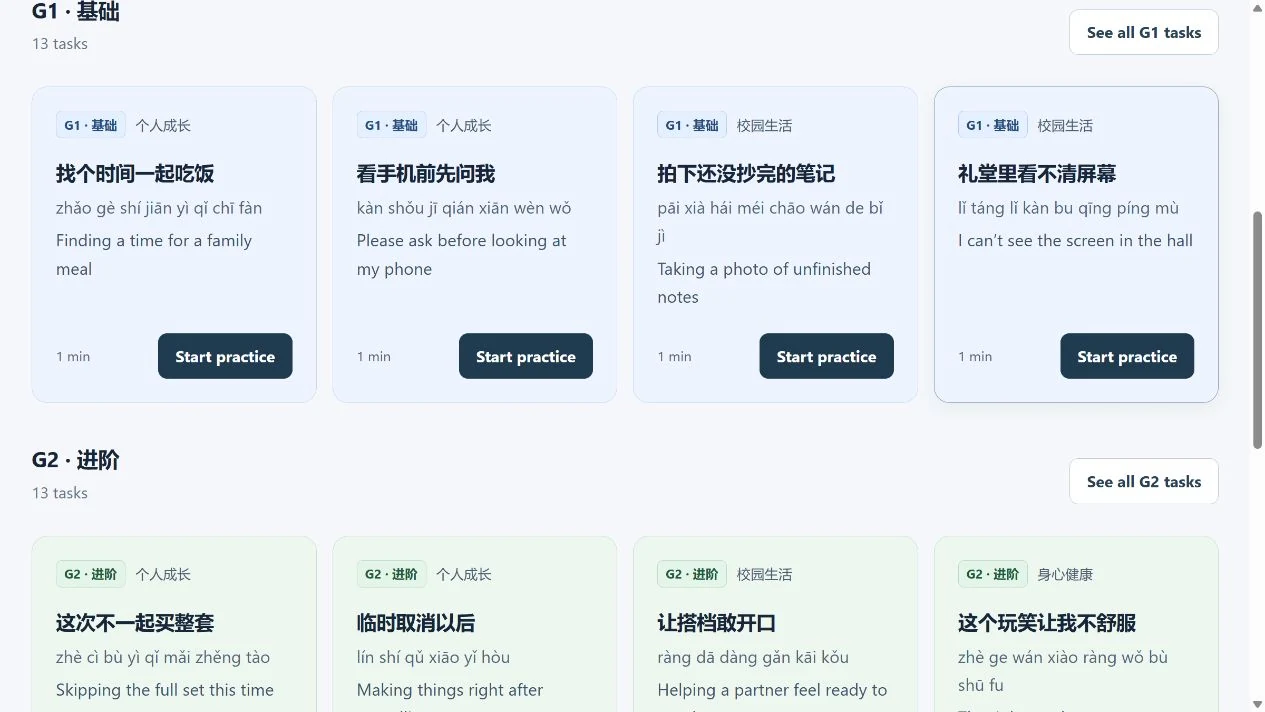
Real task cards in the current collection; no student response or recording.
The homepage has two collections: Popular topics and Textbook units. As checked on 5 October 2026, there are 40 popular-topic tasks and 69 textbook-unit tasks. These are task counts for the current version, not a promise that the collections will never change.
Popular topics span eight categories: personal growth, school life, physical and mental wellbeing, community inclusion, cultural heritage, environmental sustainability, digital life and public safety. There are 13 G1, 13 G2 and 14 G3 popular tasks. Use the stream and topic filters, or search for a situation you would like to practise. Textbook units offer a separate route linked to lesson contexts; check the stream, year and unit before choosing.
Start with a familiar situation. A task you can picture is often more useful than one chosen just because it looks difficult. You can return later to try another level or context.
Read the situation
The practice has five stages: Read → Plan → Speak → Check → Practise again. At the first stage, identify your role, the person you are addressing, your goal and the practical limits in the situation.
Read the other person's follow-up as part of the task. If the parent says they must leave for work at six, repeating “Let's eat at six” does not resolve the problem. Your response should show that you heard the concern and can offer something workable.
Before moving on, explain the situation to yourself in one sentence. This helps you avoid giving a prepared speech that does not fit the person or the problem.
Plan with support
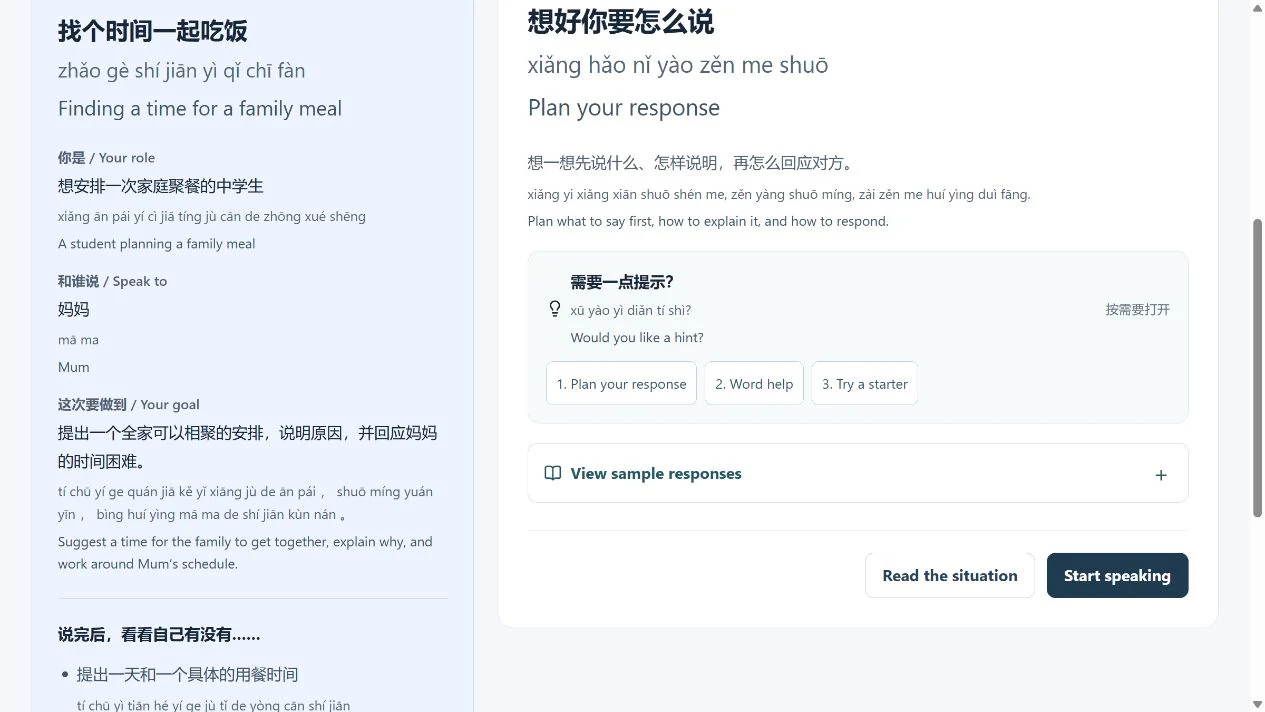
Planning only: no microphone or email action was started.
At Plan, think about what to say first, how to explain it and how to respond. Open the support you need: a plan, word help or a starter. Try forming your own idea before reading a sample response.
English, optional pinyin and word support are available at every level. G1–G3 difficulty comes from the situation's limits, the response required and the negotiation involved; English support is not reserved for one stream.
Reference expressions are examples, not the only acceptable answers. Borrow a useful phrase, then adapt it to your own arrangement and reason. Copying the whole example is less useful than understanding why each part fits.
Speak and listen back
You can speak directly, use optional recording and listen back, or add an optional written response. A written plan can help you organise your ideas, but the next step is still to try saying them in a way the other person can follow.
Popular-task cards suggest about 1 minute for G1, 1.5 minutes for G2 and 2 minutes for G3. These suggestions differ from the maximum three-minute recording limit. You do not need to fill every second; a clear, relevant response matters more than its length.
Recording depends on your browser, device and microphone permission. If recording is unavailable, speak aloud without it or arrange an appropriate alternative with your teacher. Recording is optional, and the tool does not automatically turn audio into text.
Check and practise again
At Check, review the task goals yourself. For each point, choose 说到了 (I covered it), 再练一下 (I need another try) or 还不确定 (I'm not sure yet). These are your own judgements, not marks awarded by the tool.
Ask whether you explained your idea, gave a relevant reason and responded to the other person's concern. If you recorded, listen for one place that was unclear. If you did not, pause and recall what you actually said, rather than what you intended to say.
At Practise again, choose one improvement: a more specific time, a clearer reason, or a more workable adjustment. Repeat with that aim. Improving one part deliberately is more helpful than starting over without knowing what to change.
Keep records and submit work
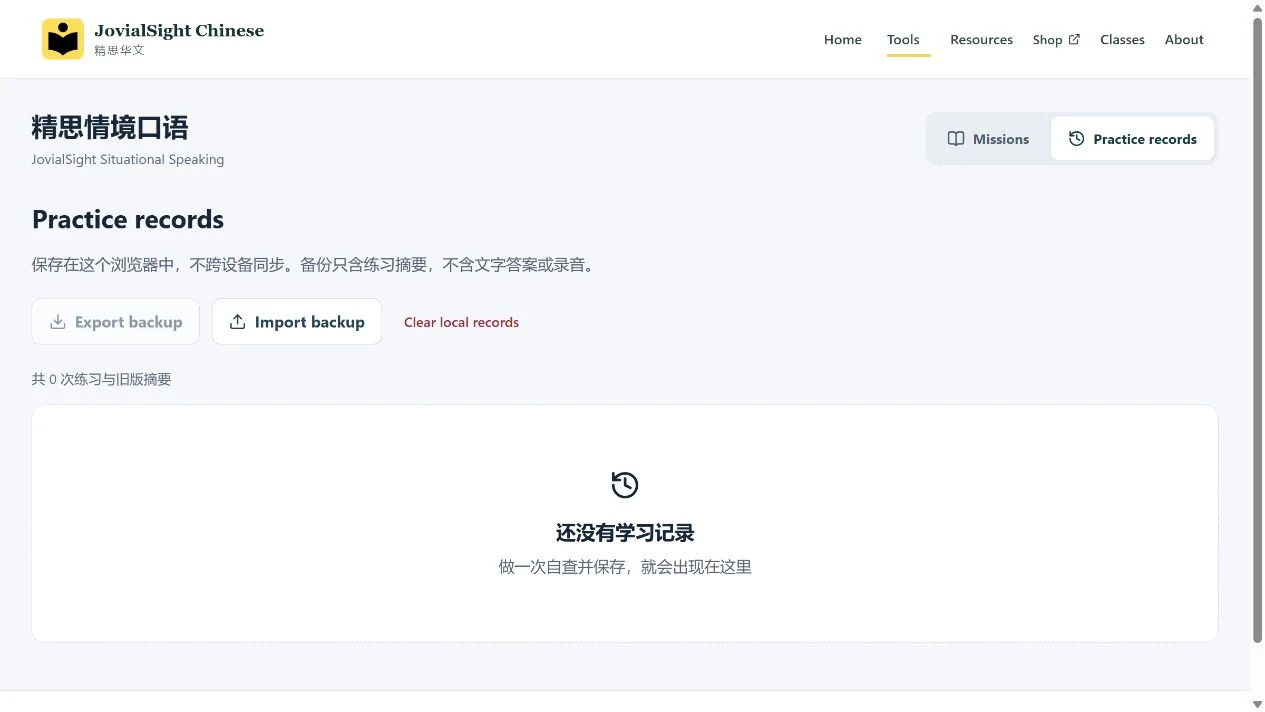
No practice has been saved in this example. The screenshot is not an assessed result.
Practice records are summaries, not audio archives. They retain the task, stream, time, self-checks and highest hint level used. They do not contain your response or recording and do not sync across devices. Export a backup when needed; importing merges the saved summaries.
Recordings are temporary. Download an audio file you need before leaving, clearing or practising again. Exporting your practice records does not save the audio, and a record entry cannot recover a lost recording.
Email submission opens a draft in your own email application. Check the recipient and content, attach the downloaded recording if required, and send it yourself. The website does not automatically send email or confirm delivery. If your email application cannot open a draft, use the submission method agreed with your teacher.
Textbook relationship and privacy
Textbook-unit tasks are original situations developed from existing core and consolidation texts. They are not the original textbook tasks, and the collection should not be presented as covering every activity in the printed books.
Practice summaries remain in the current browser, while audio is temporary and separate. The tool does not automatically upload your recording or submit it for scoring. Use fictional examples where possible; avoid putting names, contact details or other unnecessary personal information into a practice response. If you later choose to email work, that is a separate action you perform yourself.
Parents and teachers can help by asking “Did that response address the concern?” rather than treating a completed self-check as proof of mastery. For reading accuracy, see the non-AI reading guide or AI reading guide. For examination conversation preparation, see using oral preparation time.
For: Situational speaking practice for Secondary 1–4 students taking G1–G3 Chinese. Follow the current tool interface; practice approaches are teaching suggestions.